Search This Blog

Showing posts with label geometría. Show all posts

Saturday, 11 May 2013

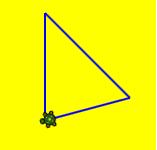
Formas geométricas con la tortuga (código)


Tuesday, 7 May 2013

Visual Basic: Area de un triángulo (código)


Visual Basic: Area de un triángulo (código)

areatri1

Se pide ingresar la base y altura de un triángulo, y el programa calcula el área y lo grafica.  Graduado (convertido)  del programa en  Small Basic  WGZ319   Editado por  Nonki Takahashi
  1. Module areatriModule
  2. Dim base, height, area, cm, size, x, y, k, pxBase, pxHeight, x1, y1, x2, y2, x3, y3, triangle As Primitive
  3. Sub Main()
    1. ‘Area of a triangle
    2. TextWindow.Write(“enter the value of the base of the triangle: “)
    3. base = TextWindow.ReadNumber()
    4. TextWindow.Write(“enter the value of the height of the triangle: “)
    5. height = TextWindow.ReadNumber()
    6. area = (base * height) / 2
    7. TextWindow.WriteLine(“The area is ” + Area)
  4. cm = 24 ‘ [px/cm]
  5. size = 12 ‘ [cm]
  6. GraphicsWindow.Width = cm * size
  7. GraphicsWindow.Height = cm * size
  8. GraphicsWindow.Top = TextWindow.Top + 150
  9. GraphicsWindow.Left = TextWindow.Left + 50
  10. GraphicsWindow.BackgroundColor = “LightGray”
  11. DrawGrid()
  12. DrawTriangle()
  13. End Sub
  14. Sub DrawGrid()
    1. GraphicsWindow.PenColor = “DimGray”
    2. For x = 0 To cm * size Step cm
i.   GraphicsWindow.DrawLine(x, 0, x, cm * size)
  1. Next
  2. For y = 0 To cm * size Step cm
i.   GraphicsWindow.DrawLine(0, y, cm * size, y)
  1. Next
  2. End Sub
  3. Sub DrawTriangle()
    1. GraphicsWindow.PenColor = “Black”
    2. GraphicsWindow.BrushColor = “MediumSeaGreen”
    3. k = 0.3 ‘ 0 <= k <= 1
    4. pxBase = base * cm
    5. pxHeight = height * cm
    6. x1 = pxBase * k
    7. y1 = 0
    8. x2 = pxBase
    9. y2 = pxHeight
    10. x3 = 0
    11. y3 = y2
    12. triangle = Shapes.AddTriangle(x1, y1, x2, y2, x3, y3)
    13. Shapes.Move(triangle, cm, cm)
    14. End Sub
    15. End Module

Monday, 6 May 2013

Small Basic: Area de un triángulo (código)

Small Basic: Area de un triángulo (código)

areatri

Se pide ingresar la base y altura de un triángulo, y el programa calcula el área y lo grafica.  Edited by Nonki Takahashi
  1. ‘  Program Listing WGZ319
  1. ‘Area of a triangle
  2. TextWindow.Write(“enter the value of the base of the triangle: “)
  3. base = TextWindow.ReadNumber()
  4. TextWindow.Write(“enter the value of the height of the triangle: “)
  5. height = TextWindow.ReadNumber()
  6. area = (base * height) / 2
  7. TextWindow.WriteLine(“The area is ” + Area)
  1. cm = 24 ‘ [px/cm]
  2. size = 12 ‘ [cm]
  3. GraphicsWindow.Width = cm * size
  4. GraphicsWindow.Height = cm * size
  5. GraphicsWindow.Top = TextWindow.Top + 150
  6. GraphicsWindow.Left = TextWindow.Left + 50
  7. GraphicsWindow.BackgroundColor = “LightGray”
  8. DrawGrid()
  9. DrawTriangle()
  1. Sub DrawGrid
  2. GraphicsWindow.PenColor = “DimGray”
  3. For x = 0 To cm * size Step cm
  4. GraphicsWindow.DrawLine(x, 0, x, cm * size)
  5. EndFor
  6. For y = 0 To cm * size Step cm
  7. GraphicsWindow.DrawLine(0, y, cm * size, y)
  8. EndFor
  9. EndSub
  1. Sub DrawTriangle
  2. GraphicsWindow.PenColor = “Black”
  3. GraphicsWindow.BrushColor = “MediumSeaGreen”
  4. k = 0.3 ‘ 0 <= k <= 1
  5. pxBase = base * cm
  6. pxHeight = height * cm
  7. x1 = pxBase * k
  8. y1 = 0
  9. x2 = pxBase
  10. y2 = pxHeight
  11. x3 = 0
  12. y3 = y2
  13. triangle = Shapes.AddTriangle(x1, y1, x2, y2, x3, y3)
  14. Shapes.Move(triangle, cm, cm)
  15. EndSub

Sunday, 5 May 2013

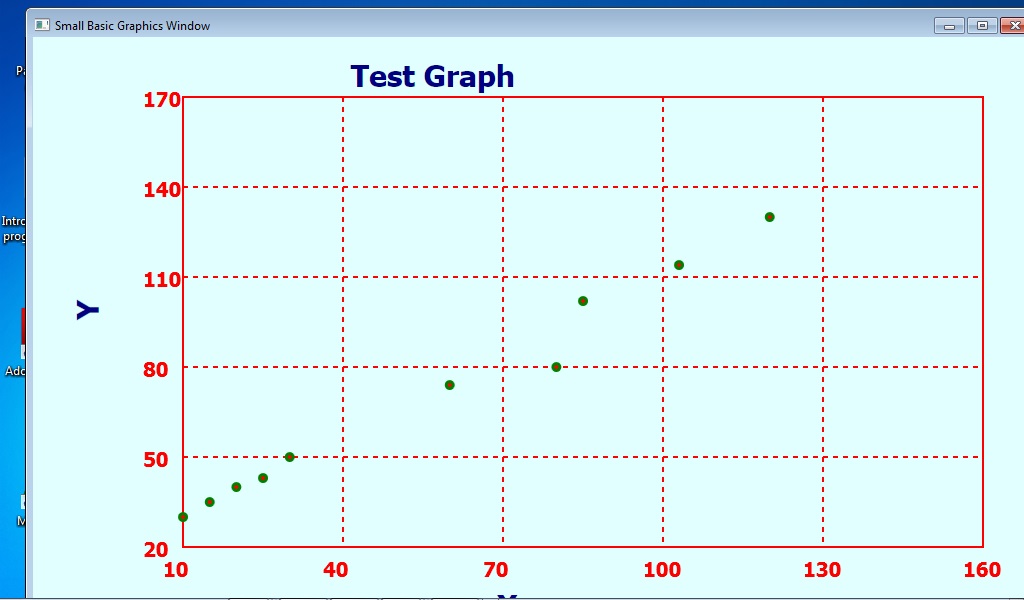
La ecuación de la línea recta que muestra los ejes X e Y

easy

Pregunta:   Después de resolver la ecuación y = ax + b, ¿cómo puede Gráficor una línea recta en los ejes X e Y como Excel? – carlosfmur1948

Respuesta:   Tienes que dibujar cada segmento de línea y los ejes y etiquetado etc usando GraphicsWindow.DrawLine, y dando las coordenadas en píxeles – esto puede requerir un poco de conversión. Es necesario para calcular las coordenadas de los dos extremos del segmento de línea que se está dibujando, usando la ecuación o cualquier otro método es el adecuado.
Casualmente, yo estaba pensando en escribir una extensión de trazado simple en lugar de vertimiento datos a Excel a través de un archivo de texto que es lo que tengo que hacer si quiero una parcela de SmallBASIC.

 Easy Graph  por NaoChanON

http://social.msdn.microsoft.com/Forums/en-US/smallbasic/thread/4f6b079a-c2c2-41f2-b38d-85ebcf9981ef/

Saturday, 4 May 2013

Microsoft Small Basic: trapezoide

Deja un comentario